Close window
PREMIUM
- Support Cudasteam
- No Ads
-
-
1-week Premium 200 Cuda Coins$4.99
-
1-month Premium 350 Cuda Coins$9.99
-
3-month Premium 500 Cuda Coins$6 / month 40% discount
-
12-month Premium 1000 Cuda Coins$4 / month 60% discount
Continue -

Compare
Radeon R9 380 2GB 6Gbps 256-bit 190W Desktop Graphic card Radeon R9 280X 3GB 6Gbps 384-bit 250W Desktop Graphic card
1.7/10
Score
1960

2.2/10
Score
2556
$
200
$
180
Share with friends
Copy link
GPU ArchitectureShading UnitsGPU ClockGPU Boost ClockMemory CapacityMemory TypeMemory SpeedMemory Bus WidthMemory BandwidthTexture Mapping Unit (TMU)Render Output Unit (ROP)Pixel Fill RateTexture Fill RateFloating Point Per SecondDirectXOpenGLMax GPU TempratureGraphics Card PowerRise of the Tomb RaiderShadow of the Tomb RaiderThe Witcher 3Metro ExodusBattlefield 1Far Cry 5Assassin's Creed UnityResident Evil 2
Visual view
Simple view
GPU Architecture
The smaller GPU, the better performance
28 nm
28 nm
Shading Units
The more Cores, the faster data are processed by the GPU
1792
2048
GPU Clock
The higher the clock, the more instructions the GPU can execute per second
12% higher
970 MHz
850 MHz
GPU Boost Clock
The Boost clock helps GPU to get more performance
970 MHz
3% higher
1000 MHz
Memory Capacity
The VRAM capacity is used most for Anti Aliasing, Textures and Screen resolution
2 GB
3 GB
Memory Type
GDDR5
GDDR5
Memory Speed
The faster Memory, the faster Read/Write operations of the data
6 Gbps
6 Gbps
Memory Bus Width
The Wider Memory Bus, the more data can flow without waiting
256 bit
384 bit
Memory Bandwidth
The more bandwidth, the faster data transfers between GPU and VRAM
176 GB/s
39% higher
288 GB/s
Texture Mapping Unit (TMU)
The more Texture Mapping Units, the faster Texture Fill Rate
112
128
Render Output Unit (ROP)
The more Rander Output Units, the faster Pixel Fill Rate
32
32
Pixel Fill Rate
Indicates how many Pixels GPU can draw per second
31 GP/s
3% higher
32 GP/s
Texture Fill Rate
Indicates how many Textures can be mapped per second
109 GT/s
15% higher
128 GT/s
Floating Point Per Second
The more Floating Point Operations per second the better performance of the GPU
4 Flop/s
4 Flop/s
DirectX
12
12
OpenGL
5
5
Max GPU Temprature
The maximum GPU temprature allowed by manufacturer
194 °F
194 °F
Graphics Card Power
Typical power consumption of the graphic card board
24% lower
190 Watts
250 Watts
Rise of the Tomb Raider
Settings Max, 1440p
27 fps
16% higher
32 fps
Shadow of the Tomb Raider
Settings Max, 1440p
6% higher
33 fps
31 fps
The Witcher 3
Settings Max, 1440p
30 fps
30 fps
Metro Exodus
Settings Max, 1440p
3% higher
29 fps
28 fps
Battlefield 1
Settings Max, 1440p
30 fps
3% higher
31 fps
Far Cry 5
Settings Max, 1440p
29 fps
3% higher
30 fps
Assassin's Creed Unity
Settings Max, 1440p
26 fps
7% higher
28 fps
Resident Evil 2
Settings Max, 1440p
29 fps
9% higher
32 fps
Recommended
2.2/10
Score
2556
Add to Favorite
Radeon R9 280X 3GB 6Gbps 384-bit 250W Desktop Graphic card
PROS 12
| Shading Units | 2048 vs 1792 | (256) 13% more Shader Processing Units |
|---|---|---|
| GPU Boost Clock | 1000 MHz vs 970 MHz | Boost clock speed is (30MHz) 3% higher |
| Memory Capacity | 3 GB vs 2 GB | (1GB) 33% more VRAM Capacity |
| Memory Bandwidth | 288 GB/s vs 176 GB/s | Memory bandwidth is (112GB/s) 39% faster |
| Texture Mapping Unit (TMU) | 128 vs 112 | (16) 13% more Texture Mapping Units |
| Pixel Fill Rate | 32 GP/s vs 31 GP/s | Pixel Fill Rate is (1GP/s) 3% faster |
| Texture Fill Rate | 128 GT/s vs 109 GT/s | Texel Fill Rate is (19GT/s) 15% faster |
| Rise of the Tomb Raider | 32 fps vs 27 fps | Rise of the Tomb Raider - 1440p: (5fps) 16% more frames per second |
| Battlefield 1 | 31 fps vs 30 fps | Battlefield 1 - 1440p: (1fps) 3% more frames per second |
| Far Cry 5 | 30 fps vs 29 fps | Far Cry 5 - 1440p: (1fps) 3% more frames per second |
| Assassin's Creed Unity | 28 fps vs 26 fps | Assassin's Creed Unity - 1440p: (2fps) 7% more frames per second |
| Resident Evil 2 | 32 fps vs 29 fps | Resident Evil 2 - 1440p: (3fps) 9% more frames per second |
CONS 4
| GPU Clock | 850 MHz vs 970 MHz | Clock speed is (120MHz) 12% lower |
|---|---|---|
| Graphics Card Power | 250 Watts vs 190 Watts | Power consumption is (60Watts) 24% higher |
| Shadow of the Tomb Raider | 31 fps vs 33 fps | Shadow of the Tomb Raider - 1440p: (2fps) 6% less frames per second |
| Metro Exodus | 28 fps vs 29 fps | Metro Exodus - 1440p: (1fps) 3% less frames per second |
2nd Choice
1.7/10
Score
1960
Add to Favorite
Radeon R9 380 2GB 6Gbps 256-bit 190W Desktop Graphic card
You might also like
Scroll/Slide to the left or to the right side
-

-

-

-

-
-
-
 2.9/10Score 3351
Nvidia GTX Titan X 12GB 7Gbps 384-bit 250W Desktop Graphic card
$440Where to buy? -
2.9/10Score 3328
Nvidia MSI Armor 1060 6GB 8Gbps 192-bit 120W Desktop Graphic card
$260Where to buy? -
-
2.8/10Score 3304
Nvidia EVGA GTX 980 Ti 6GB 7Gbps 384-bit 250W Desktop Graphic card
$380Where to buy?
More comparisons
Radeon R9 280X
Nvidia GTX 970
vs
Radeon R9 280X
Nvidia MSI Aero 1080
vs
Radeon R9 280X
Nvidia GTX 1080 Ti
vs
Radeon R9 280X
Nvidia Palit Dual 1060
vs
Radeon R9 280X
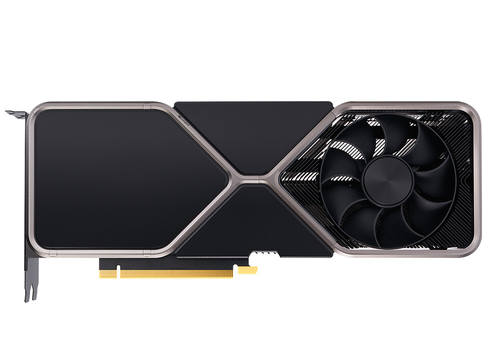
Nvidia RTX 4090
vs
Radeon R9 280X
Nvidia RTX 4070 Ti
vs
Radeon R9 280X
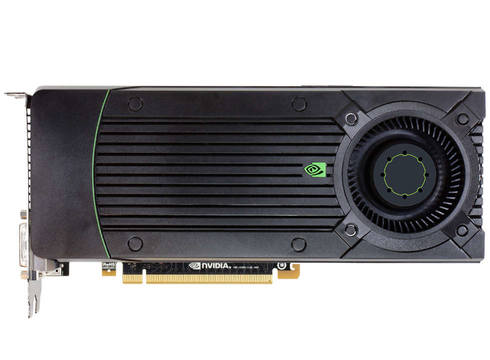
Nvidia GTX 750 Ti
vs
Radeon R9 280X
AMD RX 5600 XT
vs
Radeon R9 280X
Nvidia MSI Armor 1060
vs
Radeon R9 280X
Nvidia GTX 1650 SUPER

vs